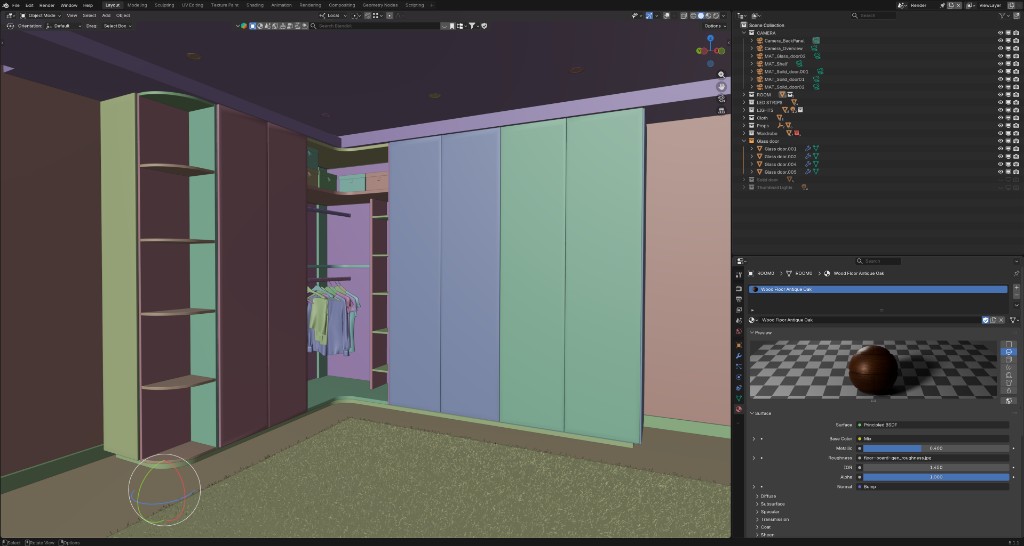
01In Blender
Blender set-up
Install the add-on, connect your project, and group the objects that switch together into View Components. Materials, cameras, lighting — all yours.

Blender add-on · for 3D artists & studios
Build it in Blender, publish in an hour, hand your client one line of code. No web developer. Your client pays for the platform — you bill for the work.
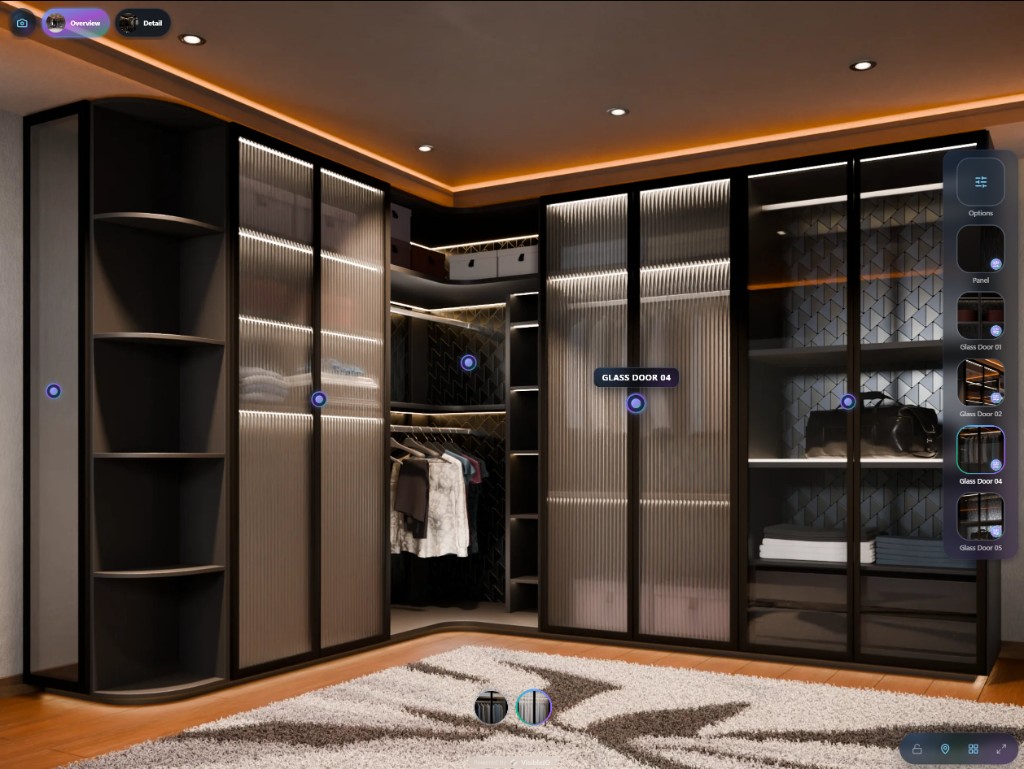
Embeds where you already sell
Any page that accepts an iframe. One line of code.





Blender stays the source of truth. The CMS holds the rules. The Viewer runs in the browser.
Install the add-on, connect your project, and group the objects that switch together into View Components. Materials, cameras, lighting — all yours.
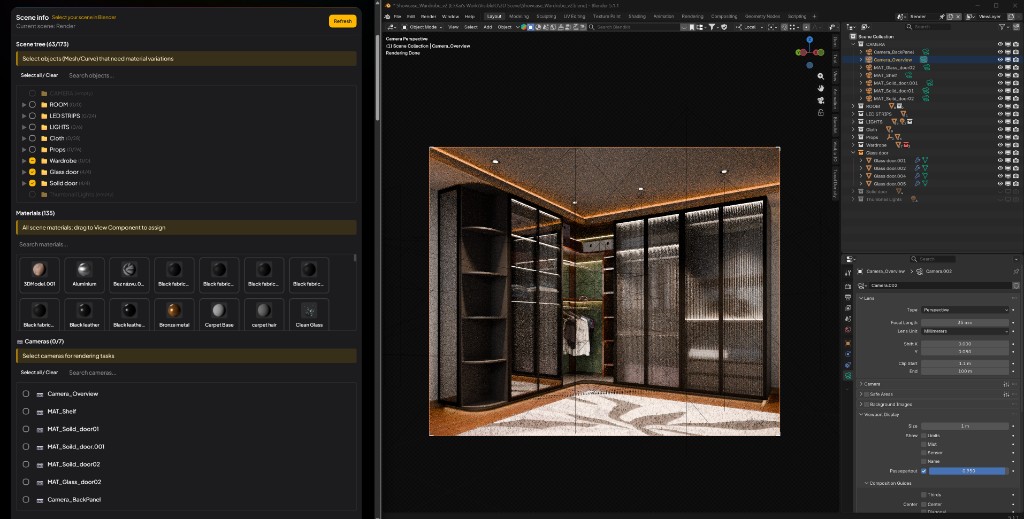
Bundle the looks you actually sell into Material Variants, set visibility rules, and queue the render tasks. Invalid combinations never reach a customer.
Publish. Customers rotate, switch finishes, and jump between cameras — served as pre-rendered stills, no heavy GLB.
Demo projects built with VisibleIO. Open one and switch the finishes yourself.
You build in your client's workspace. Present your work and profile from your own account.
Turn the scene you already have into an interactive configurator your client embeds with one line. No web developer, no material rebuild, no platform fee on your side.
No artist yet? We introduce one from our network. Every image is a render of your approved model — never generated pixels.
VisibleIO is a Blender‑to‑web 3D product configurator — your Blender scene, pre-rendered and configurable in the browser. Real-time 3D gives you a game-engine look. Generated images give you a guess. Neither gives you the exact product in every valid combination.
Blender in, client deliverable out. Each capability below is one reason there is no rebuild, no GLB, and no per-seat 3D platform in between.
The look is Blender's, not a real-time approximation. Exactly as you lit it.
Group the objects that switch together, straight from the outliner. No naming conventions to memorise.
Update the Blender scene once; every embed picks up the change on the next sync.
Spread the render queue across your own workstations. Idle machines pick up missing frames — no cloud fees.
Bundle only the finishes you actually sell. Nothing outside the bundle ever reaches a customer.
Constrain which options combine, so an invalid SKU cannot be configured in the first place.
Customers see cinematic stills and switch between them instantly. No heavy GLB on first paint.
An iframe that drops into Shopify, WordPress, Wix, Squarespace or any page you control.
Straight answers for creators and brands evaluating VisibleIO as a Blender‑to‑web 3D product configurator.
VisibleIO is a Blender-to-web 3D product configurator. It turns a Blender scene into an interactive, photoreal product experience using a Blender plugin, a cloud CMS, and a browser Viewer you can share or embed.
WebGL and Three.js rebuild the product as a real-time scene, which usually means a quality tradeoff and a custom engineering project. VisibleIO keeps Blender as the source of truth, pre-renders the states you sell, and delivers configuration in the Viewer—without shipping a heavy GLB on first paint.
No. Product looks come from your Blender scene, not from a prompt. VisibleIO does not hallucinate SKU-accurate catalog images, and we do not use customer Blender scenes or commercial project assets to train public generative AI models.
Blender 4.2.0 or newer, the VisibleIO add-on, and a VisibleIO CMS project. Connect and configure objects and materials, generate renders, then publish a Viewer link or iframe. Many teams can complete a first publish in about an hour once the scene is production-ready.
You bill your client for the build as you would any 3D deliverable. The platform subscription is the client's: they pick a plan in the CMS and pay VisibleIO directly. Nothing is invoiced to you for client work.
Yes. Your client registers, chooses a plan, and invites you to the project (or workspace). You sign in with your own account. Traffic, storage, and renders count against their plan, not yours.
Your own account (Free or Hobby) is for your portfolio and artist page. Client projects live in the client's workspace; ask your client for permission before showcasing them.
Yes, on every plan. Paste the Viewer iframe into a Shopify theme page, WordPress, or any page that accepts iframes. Free embeds show a VisibleIO watermark; any paid plan can turn it off in Viewer settings. A native Shopify app is coming soon.
You retain full ownership of your Blender scenes, materials, and published experiences. VisibleIO only hosts and delivers the assets you authorize.
Yes. Cancel in billing settings at any time. Your plan stays active until the period ends, then the workspace returns to Free.
Yes. Email sales@visibleio.com with verification and we will apply a discount to eligible workspaces.
Create a free account, install the Blender add-on, and publish your first configurator today.


