How to Choose a 3D Product Configurator in 2027: Shopify and Brand Sites
One chaise with 5,184 combinations, compared across seven platforms on materials, personalization, order handoff, and cost.
 VisibleIO Team10 min read
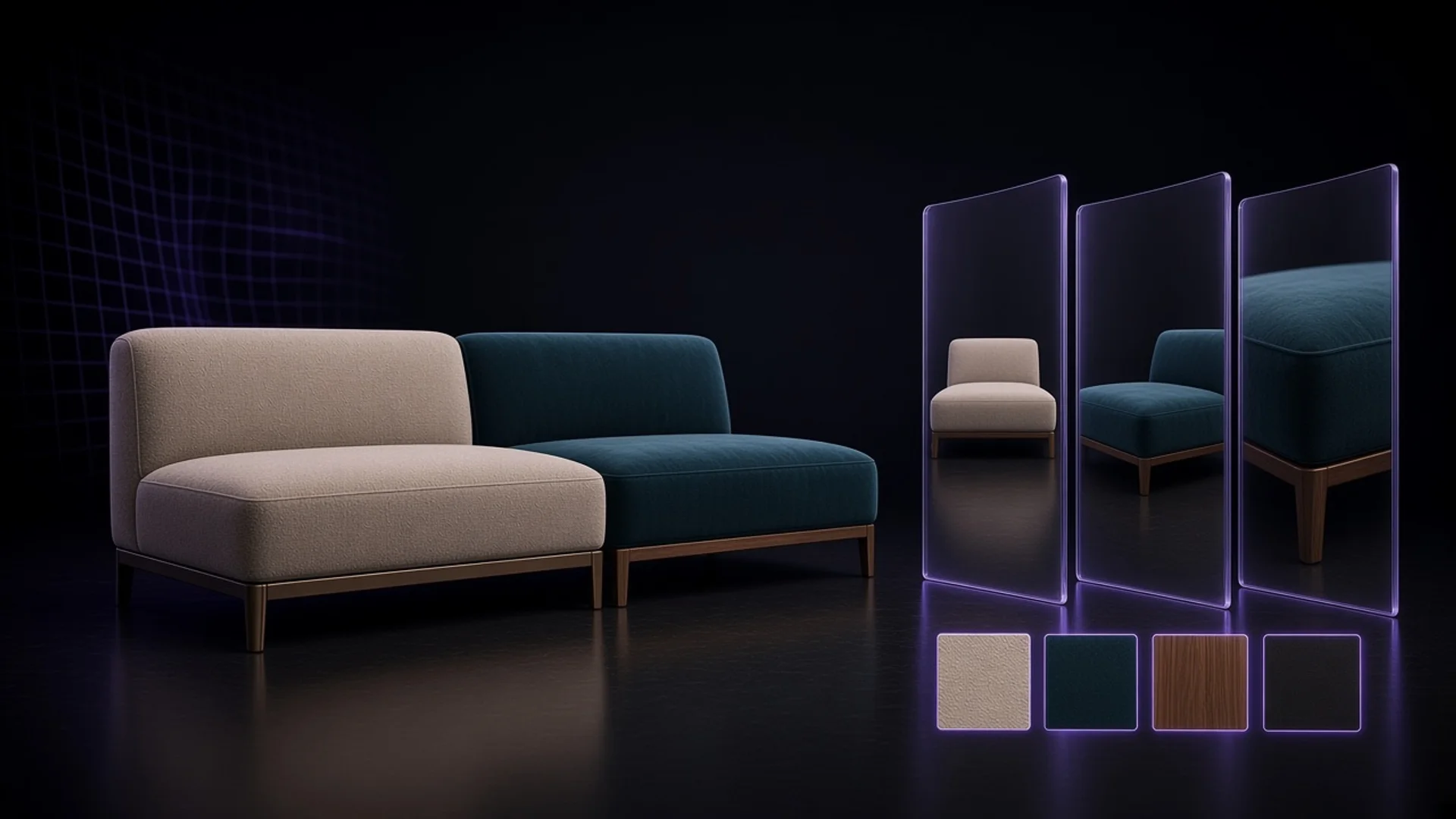
One chaise with 5,184 combinations, used to compare seven platforms: whether a shopper can see the material, whether they can add a design of their own, and whether the merchant receives the right order after the choice is made.
Two off-white fabrics. One is a plain weave, one is velvet. If the product page only shows two similar swatches, the shopper still does not know which to pick. If what they actually want to see is how the back of the sofa is finished, even a strong front close-up does not answer that.
Start by asking what the shopper cannot see, and what they want to change. If a few photos are enough to choose a color and a size, do not rush to install a configurator. If they only want to turn the product and see the back, try a 3D viewer they can rotate first. A product configurator is worth evaluating when they need to change several options at once, see the combination, and carry that choice into an order or a quote.
If the product sells on fabric, finish, or part combinations, and you already have a Blender scene or plan to commission one, try VisibleIO first. It lets a brand prepare the views that best show material differences, then lets shoppers switch combinations. Shoppers can also open a live 3D preview and turn the product, but that is not the main picture. If they need to type a name or upload artwork, start with a tool that can do that.
Which one to try first
| The problem you most want to solve | Try first | What to check on your own product |
|---|---|---|
| See the many combinations of fabrics, parts, and patterns the brand already defined, and show how the product looks in a scene. Embed it on a website, and connect it to Shopify. | VisibleIO | On one close-up, switch two fabrics. Can you tell the weave and the sheen apart? Do the options and any price change reach the Shopify order correctly? |
| Rotate a model freely on a Shopify product page, or view it in AR | Angle 3D | Can the shopper see angles the photos missed? Which options have to bind to variants, price, and inventory? |
| Edit their own text or artwork on a fixed view | Kickflip | After a name or an upload, what can they adjust? How does the design travel with the order? |
| Engrave or print, and output a production file | Zakeke | Do the preview's type, size, and placement match the file sent to production? |
| Several ways to show the product, plus a more complex buying or quoting flow | Threekit | Can unsellable combinations be blocked? Who maintains the product rules, prices, and quotes? |
| Hand the configuration to quoting, ERP, or the factory | Expivi | Beyond option names, can it hand off the part numbers, quantities, and specs the next system needs? |
| Let shoppers connect furniture modules, or plan a whole room | VividWorks | Is the job one sofa, or several pieces in a room? Try those as two jobs, and price them separately. |
The same backpack can let a shopper pick one of three prepared prints and also add their own name. The first is preset configuration. The second is live personalization. Both can happen on a fixed view. The real difference is whether the shopper is choosing content the brand prepared, or editing their own content on the product page.
One sofa, 5,184 combinations
On this chaise, the left and right sides each choose a fabric and a base, and every combination can be sold.
| Choice | Options |
|---|---|
| Left fabric | 18 |
| Left base | 4 |
| Right fabric | 18 |
| Right base | 4 |
Multiply the four groups: 18 × 4 × 18 × 4 = 5,184 sellable configurations. Each configuration has three prepared views, 15,552 configuration-and-view results in total. Switching views does not add a sellable style, and it does not mean the project stores that many separate full-size images.
Keep the right fabric, change only the left, then switch to another view. For the shopper, the point is not that there are 5,184 choices. It is that they do not have to guess, from two swatches, what those materials look like together.
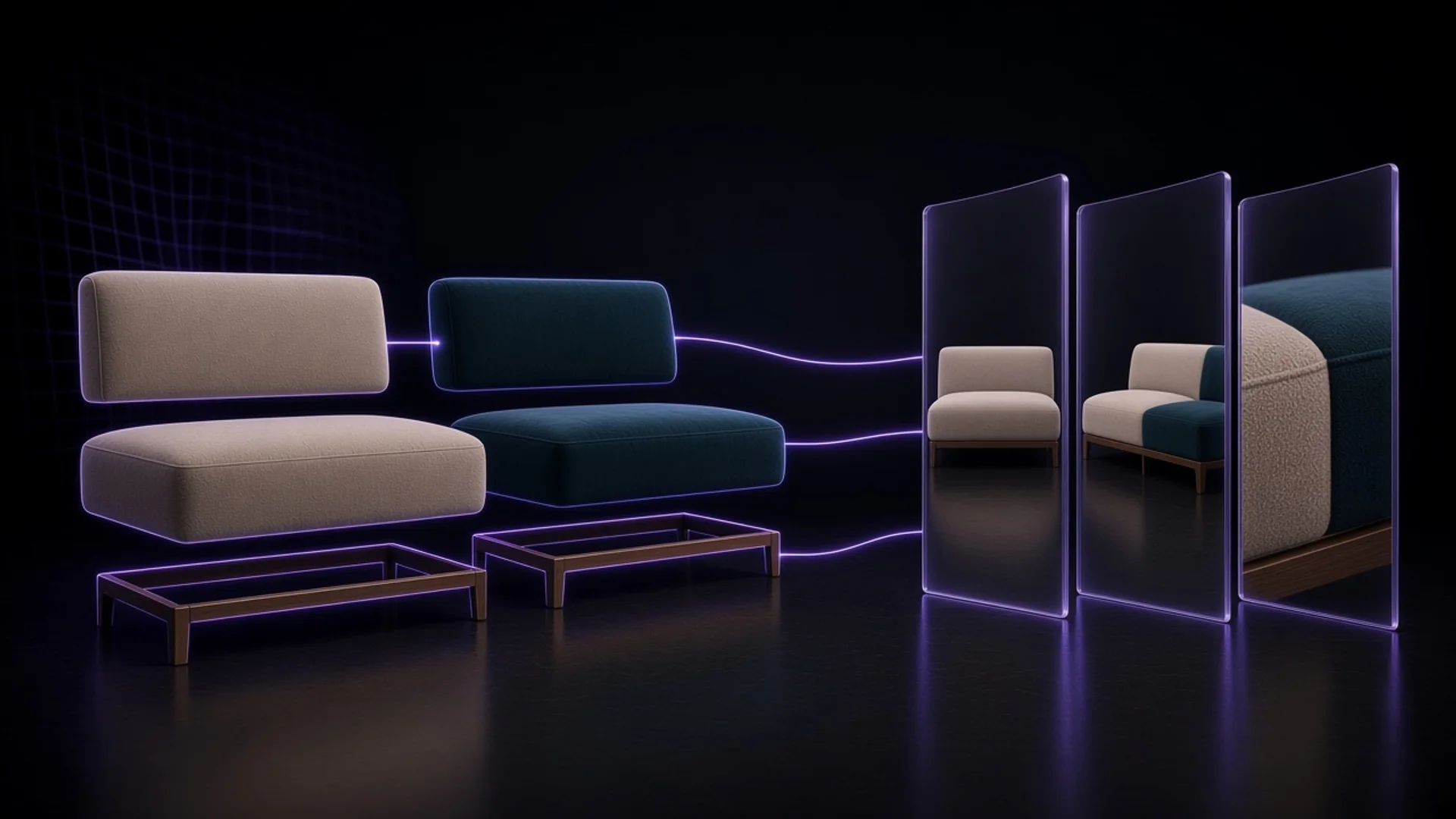
The team that supplied this case recorded a published project of about 150 MB, about 3% of a 5 GB storage allowance. That is the size of the published file, not the download on a shopper's first page load. Only a product of this same size can be counted from it.
What changes on screen when the same sofa becomes velvet?
A photograph says where the source came from. A pre-render says the picture was calculated before launch. WebGL is the browser technology that draws 2D or 3D. These are not three options to pick one of. To see the fidelity tradeoff, ask a simpler question: when the fabric changes, does the page swap a whole picture, swap a layer, or redraw the model live?
| How the picture is made | Pros | Cons |
|---|---|---|
| VisibleIO: a full pre-render | Switching to velvet shows the whole sofa, pre-rendered in velvet. The nap, the shadows in the folds, and the reflection on the base can sit under one lighting setup. That suits product-photo close-ups for comparing materials. | The picture used to compare materials is a prepared view. A live 3D preview can turn the model, but that is not the main feature. Shoppers still cannot arrange their own artwork on the page. A new fabric means re-rendering the affected configurations and publishing again. |
| Kickflip: live layers | Switching to velvet swaps in a prepared velvet layer. The layer can come from a photo or a render, and it can sit under text the shopper typed or art they uploaded, as a live preview. | A layer swap does not recalculate light across the whole sofa. Recoloring a plain-weave layer does not turn it into velvet. If the weave, the sheen, or the shadow where parts meet has to change, that asset has to be prepared. |
| Angle 3D: live 3D | After the switch to velvet, the shopper can turn the model and look at the side, the back, and the underside, not only the angles prepared in advance. | If materials and lighting are simplified so the phone stays smooth, fine weave, velvet sheen, and seam shadows can be weakened. The shopper can turn a full circle, and two off-white fabrics of different texture can still look like the same one. |
On a trial, take two physical fabrics that are close in color and different in texture, and compare them to a similar close-up on a phone. First see whether plain weave and velvet can be told apart. Then see whether the shopper needs to turn to the back or the underside. Seeing the material clearly and seeing more angles are two different tests.
From the product page to the cart: run it once
This sofa has 5,184 sellable combinations. That does not mean Shopify needs 5,184 variants. Separate the options that need their own inventory, the options that change the price, and the options that only need to be recorded on the order. If every combination has to be its own variant, 5,184 does exceed the 2,048 variants per product listed publicly for Angle 3D Professional, the US$99 row in the price table. That does not prove every other approach is impossible. Ask the vendor to show how a configuration maps to price, inventory, and the order.
| Your selling flow | The test to finish before you subscribe |
|---|---|
| Shopify checkout | Pick a fabric that adds to the price. Add it to the cart and complete a test order. Check the total, and which fabric and base were chosen on each side. |
| A brand site, for display or for a quote request | Let a shopper finish a selection and send a quote request. Have the person who actually follows up check whether they received the full configuration, or only a product link. An embeddable Viewer is not the same as a connected quote request. |
| A sales quote, or make-to-order | Walk one representative order downstream. If the factory needs part numbers, quantities, and dimensions, confirm those can be handed off directly, not only that the option names appear on the order. |
The sofa above can switch fabric, base, and view.
How to compare cost: separate first launch, the monthly bill, and a later change
The lowest monthly plan may not be able to finish your product. Ask each vendor to price the same product three ways: what the first launch costs, what a normal month costs, and what it costs next month to add one fabric. Put modeling, asset production, and integration in the first-launch cost. Put the subscription, traffic, and any applicable fee on the sale in the monthly running cost.
The public prices below exclude modeling, first-time setup, tax, and the Shopify subscription you already pay. The plans are not equivalent in features or allowances.
| Platform / use | Public monthly price or how it is quoted | Do not leave this out |
|---|---|---|
| VisibleIO: website embed | US$0US$19US$79US$499 | US$19 includes 10,000 configurations per project, 5 GB of storage, and 50 GB of traffic a month. If you need to invite an outside artist into the workspace, compare US$79 or above. |
| VisibleIO: Shopify App | US$39US$58US$118US$538 | This sofa publishes at about 150 MB, about 3% of the 5 GB the US$58 plan raises storage to, enough for about 33 products of this size. The features match the US$19 plan, and it connects to Shopify. Try it on Shopify. |
| Angle 3D | US$39US$69US$99US$199 | No transaction fee. Options that change the price or the inventory still bind to Shopify variants: 250 per product at US$39 and US$69, and 2,048 at US$99 and US$199. A 3D model is quoted separately. |
| Kickflip | US$59 | The fee applies only to Kickflip products that check out, on the discounted pre-tax price, in tiers from 1.95% down to 0% of monthly custom sales. White-label is US$49 a month, and quoting is US$99 a month. |
| Zakeke | US$69.90US$129.90US$299.90 | The fee applies only to customized items sold through Zakeke, on each item's final price excluding tax and shipping: 1.9% at US$69.90, 1.7% at US$129.90, and 1.5% at US$299.90, with a US$0.03 minimum per item. The 3D/AR Viewer does not carry this fee. |
| Threekit | On request | The quote depends on the use case, how many products are configured, the type of visualization, the timeline, and the budget. |
| Expivi | On request | The proposal is based on project scope, product complexity, and integrations. Real-time 3D and AR are optional. Rules, pricing, quotes, and the bill of materials are included. |
| VividWorks | US$547US$897 | From the top, the first price is the configurator and the second is the room planner. No transaction fee. Implementation is quoted separately, and so is 3D modeling if the models are not already available. Both include 60,000 views a year and 100 3D assets. The published page places modular products on a higher public monthly price. |
For example, assume US$10,000 of sales in a month, all of it meeting each vendor's conditions for the fee. Kickflip at US$59 and 1.95% comes to US$254 including the monthly plan, before add-ons. Zakeke at US$129.90 and 1.7% comes to US$299.90 in total. This is a billing example. It is not revenue from the sofa, and it is not a price comparison of two plans with the same features.
The VisibleIO Shopify plan at US$58 does not take a percentage of the sale. A fixed monthly fee is not the same as unlimited use. During a pilot, record actual usage, then estimate how much traffic a busy season needs. That is more useful than treating a vendor's estimated view count as a guarantee.
When is VisibleIO worth it?
VisibleIO is worth it when the brand has already defined the fabrics, parts, and patterns, and there are enough combinations that photos or a simplified live 3D model cannot show the difference between velvet and a plain weave. The picture you want is an interactive poster: the views, the lighting, and the close-ups are designed in advance, and the shopper switches combinations inside those pictures. A live 3D preview can turn the model, but it is not the main feature, and it is not the picture you use to judge the material.
You have a 3D team, or you will commission the scene from an outside 3D artist or studio. After the scene exists, adding a fabric means updating the assets on that same product, checking the renders, and publishing. It does not mean a new photo set for every combination. You can then check on Shopify that the options and any price change are right. If they need to arrange their own artwork on the page, or the order has to leave with a factory bill of materials, VisibleIO is not a strong fit.
Before you extend this to a whole range, finish three tests on one representative product:
- On a phone, switch two fabrics that are close in color and different in texture, and see whether a shopper can tell them apart.
- Pick a fabric that adds to the price, complete one test order or quote request, and have the person who takes the order check the result.
- Have the person who will maintain it later add one fabric. Write down which assets, prices, and settings change, then compare plans against that actual work.
First show that a shopper can see the difference, that the team receives the order, and that the next fabric can be changed. Then decide whether to extend it.