Install the VisibleIO Add-on
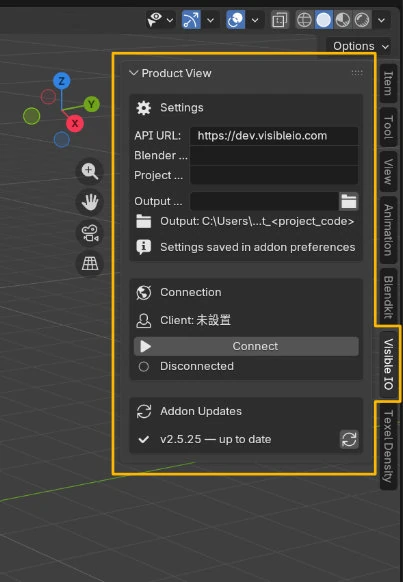
Install the Add-on before anything else. Once per Blender. After install, VisibleIO lives in the Sidebar (the N-panel): the strip on the right of the 3D Viewport. Press N to show or hide it, or use View → Sidebar. Every project uses this same panel.
-
1Download the latest Add-on
Download the latest VisibleIO Add-on zip. Blender installs from that zip. Unzipping it, or copying a single .py out of the archive, will not work.
-
2Open Preferences
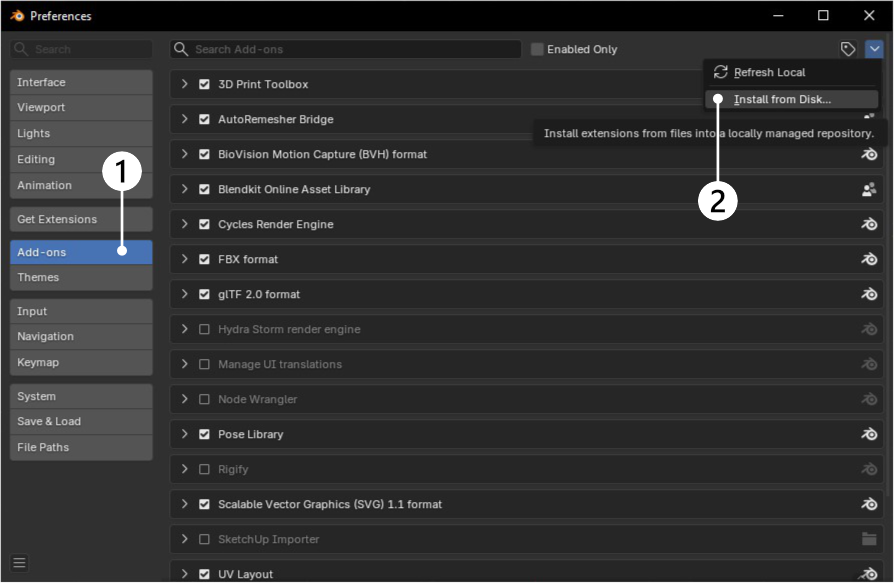
In Blender, go to Edit → Preferences → Add-ons.
-
3Install from Disk
Click Install from Disk (or Install... on older Blender), pick the zip you downloaded, and confirm.
-
4Enable VisibleIO
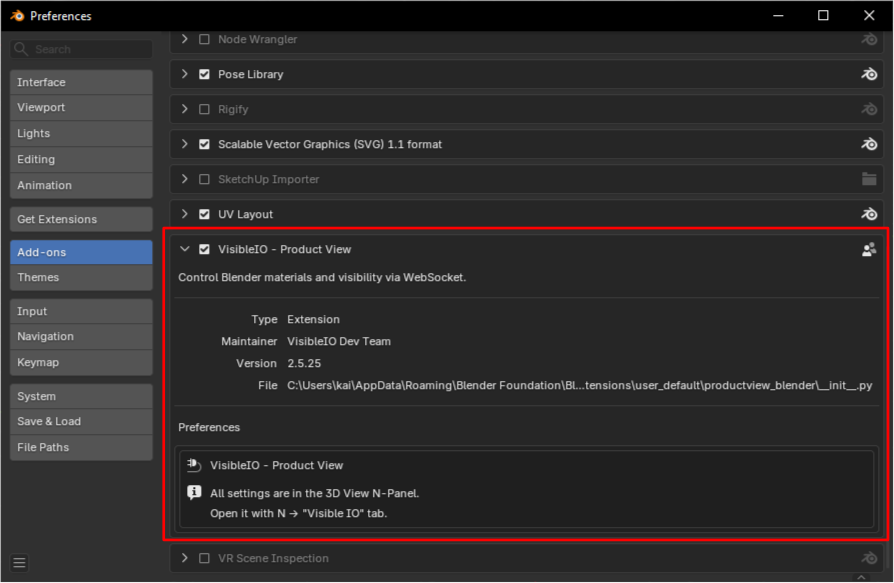
Search for VisibleIO and enable it. The Official Add-on should show as enabled.
-
5Confirm the panel
Back in the 3D Viewport, press N to open the Sidebar (the N-panel). When you see the VisibleIO panel, click Save Preferences at the bottom-left of Preferences.